Page MenuHome GnuPG

Kleopatra: Screenreaders stay silent when smartcard window is opened
Testing, NormalPublic

Description

When the smartcard window is opened then NVDA (and Narrator) stay completely silent.

The screenreaders should give some feedback while Kleopatra looks for smartcards. And when Kleopatra has finished looking for smartcards then some UI element should get focus so that the users know that they can start interacting with the window.
Details

Version
Gpg4win-5.0.0-beta395

Event Timeline

ikloecker created this task.
ikloecker moved this task from Backlog to WIP on the gpd5x board.
ikloecker changed the task status from Open to Testing.Nov 20 2025, 11:35 AM

This has been changed:

  • A progress/busy indicator page is now shown while smartcards are loaded (unless there are already smartcards shown; in this case the update happens "in the background"). Screen readers speak the progress message.
  • The texts on the placeholder page (that is shown if no smartcards were found) are now accessible (if AT is active), i.e. one can reach them with Tab and initially the first text has keyboard focus (so that it's spoken).
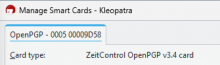
  • When a smartcard is found then the first smartcard tab has keyboard focus.
ikloecker mentioned this in Unknown Object (Maniphest Task).Nov 24 2025, 9:00 AM
timegrid added a subscriber: timegrid.

Done

  • progress/busy indicator shown (probably also read, but loading was too fast, so it skipped the text)
alt+m
Manage Smart Cards - Kleopatra  window
Loading smart cards...
tab control
OpenPGP - 0005 00009D58  tab  Alt+  O
  • texts on placeholder page accessible
alt+m
Manage Smart Cards - Kleopatra  window
Please insert a compatible smartcard.
tab
Kleopatra currently supports the following card types:
OpenPGP v2.0 or later
Gnuk
NetKey v3 or later
PIV (requires GnuPG 2.3 or later)
CardOS 5 (various apps)
tab
Reload  button  Reload smart cards  Alt+  R
space
space
enter
space
  • first smartcard tab has keyboard focus
alt+m
Manage Smart Cards - Kleopatra  window
tab control
OpenPGP - 0005 00009D58  tab  Alt+  O

Notes:

  • There's no feedback on pressing the reload button, if no smartcards are found (like "no smartcards found"), which might be confusing