Symmetric encryption in Kleopatra notepad with >255 chars will:
- not encrypt the content
- show now error
To reproduce:
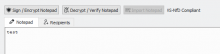
- Open notepad, enter some text, activate symmetric encryption
- Enter >255 chars in pinentry for the symmetric password, e.g.
0123456789012345678901234567890123456789012345678901234567890123456789012345678901234567890123456789012345678901234567890123456789012345678901234567890123456789012345678901234567890123456789012345678901234567890123456789012345678901234567890123456789012345
- Confirm the password, press OK => content was not encrypted, no error (same state as before sign/encrypt was chosen)

CLI (gpg reports an error):
C:\Users\g10\Desktop\testdata>gpg -vv --status-fd 2 --encrypt --symmetric test.png
gpg: enabled compatibility flags:
[GNUPG:] NEED_PASSPHRASE_SYM 9 3 8
gpg: pinentry launched (8388 qt5 1.3.2 - - - - 0/0 -)
[GNUPG:] PINENTRY_LAUNCHED 8388 qt5 1.3.2 - - - - 0/0 -
gpg: problem with the agent: Not implemented
[GNUPG:] ERROR get_passphrase 69
[GNUPG:] CANCELED_BY_USER
[GNUPG:] FAILURE encrypt 33554531
gpg: test.png: encryption failed: Operation cancelled