Page MenuHome GnuPG

ldapserver configuration option duplicated
Testing, WishlistPublic

Description

It seems that adding the same LDAP server in kleopatra is possible and, worse, the entry is then saved to the conf file and the next time a third copy is shown. Test was done using an ldap server in the global config and one in the local config.

Do we have a problem with --ldapserver vs. the legacy ldapserver-file thing here? Or is this due to an gpgconf option parser oddity

Event Timeline

werner triaged this task as Normal priority.Oct 22 2025, 5:17 PM
werner added a project: vsd34.

I guess this is easy to explain:

  1. gpgconf/gpgme reads the LDAP server from the global config
  2. You add a second LDAP server (I don't think it matters if it's the same as the one from the global config or different one)
  3. When you save the LDAP server then gpgme/gpgconf writes both LDAP servers to the local config
  4. When you now read the LDAP servers you get one from the global config and two from the local config

The problem might be even worse:
Each time you save changes on the Directory Services page of Kleopatra's config dialog copies of all LDAP servers configured in the global config are added to the local config. This happens in gpgme via gpgconf.

I think this is a general problem of list entries. gpgconf simply prints them as comma separated list. Hence, users of this output are totally unaware if an entry is defined in the global config or the local config.

I think gpgconf needs to
a) not write an LDAP server to the local config if an identical entry is already in the global config
and/or
b) consolidate LDAP servers read from the global config and the local config before passing the list of LDAP servers to its callers.

gpgconf does not know about the global config files. Nor does it known about things like gpg.conf-2 etc.

Then I don't see how we can avoid this. It should be easy to reproduce this with gpgconf alone if you know how to use --change-options manually. Simply set the LDAP server that's already configured in the global config file.

ikloecker mentioned this in Unknown Object (Maniphest Task).Oct 27 2025, 9:29 AM
werner lowered the priority of this task from Normal to Low.Nov 26 2025, 2:57 PM
werner lowered the priority of this task from Low to Wishlist.
ebo added a subscriber: ebo.

It would be possible as a workaround in Kleopatra to show any identical entries only once. Saving after that will not add any more entries.

ikloecker moved this task from Backlog to WIP on the gpd5x board.

One doesn't even need a global config file to reproduce the duplication.

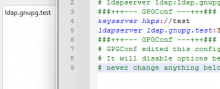
All you have to do is add an ldapserver option to dirmngr.conf after the ###+++--- GPGConf ---+++### block. Kleopatra/gpgconf will happily duplicate this LDAP server when writing the configuration.

The fix is only a workaround, the duplicate entries are no longer shown in Kleopatra, they still exist and multiply on save.

To avoid that, an organization could make the Ldapserver setting immutable by putting it in a force section in the global config file.

ikloecker changed the task status from Open to Testing.Tue, Feb 24, 3:46 PM

The workaround is ready for testing. Kleopatra shouldn't show duplicate LDAP servers in the settings dialog. As a side effect global ldapserver entries should no longer multiply in the local dirmngr.conf each time the LDAP servers are changed, but one copy of the global ldapserver entries is still written to the local dirmngr.conf.

Note that the list of LDAP servers in Kleopatra's Settings dialog only shows the LDAP server's domain name (or "Active Directory" for the special entry), i.e. you might see some entries with same domain name but with different settings (user, port, flags, etc.).